YouXian Buy

Experience Design
E-Commerce

Description

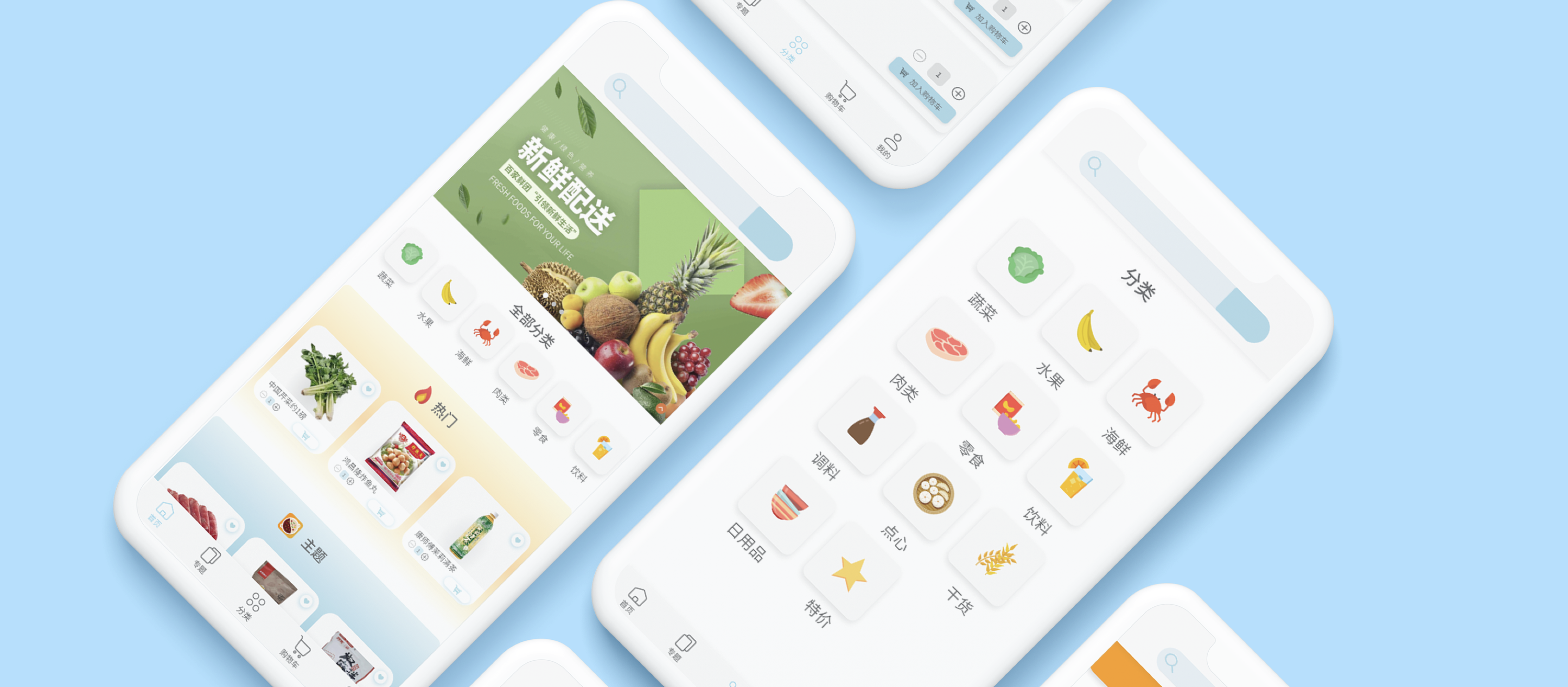
I spearheaded the UI/UX for a startup's food delivery app, creating designs from the ground up.

My Role

UX Designer

Project Type

E-Commerce

Timeline

Dec - Feb 2020-21

Tools

Figma

Project Image

Overview

Get Asian groceries delivered straight to your home.

There are many apps and websites that delivery groceries, however there aren't many that deliver Asian groceries. I designed this Asian grocery delivery service's app landing, category selection, and item description pages.

How do I create an intuitive shopping platform for Asian grocery shoppers while constructing an effective brand image?
Project Image

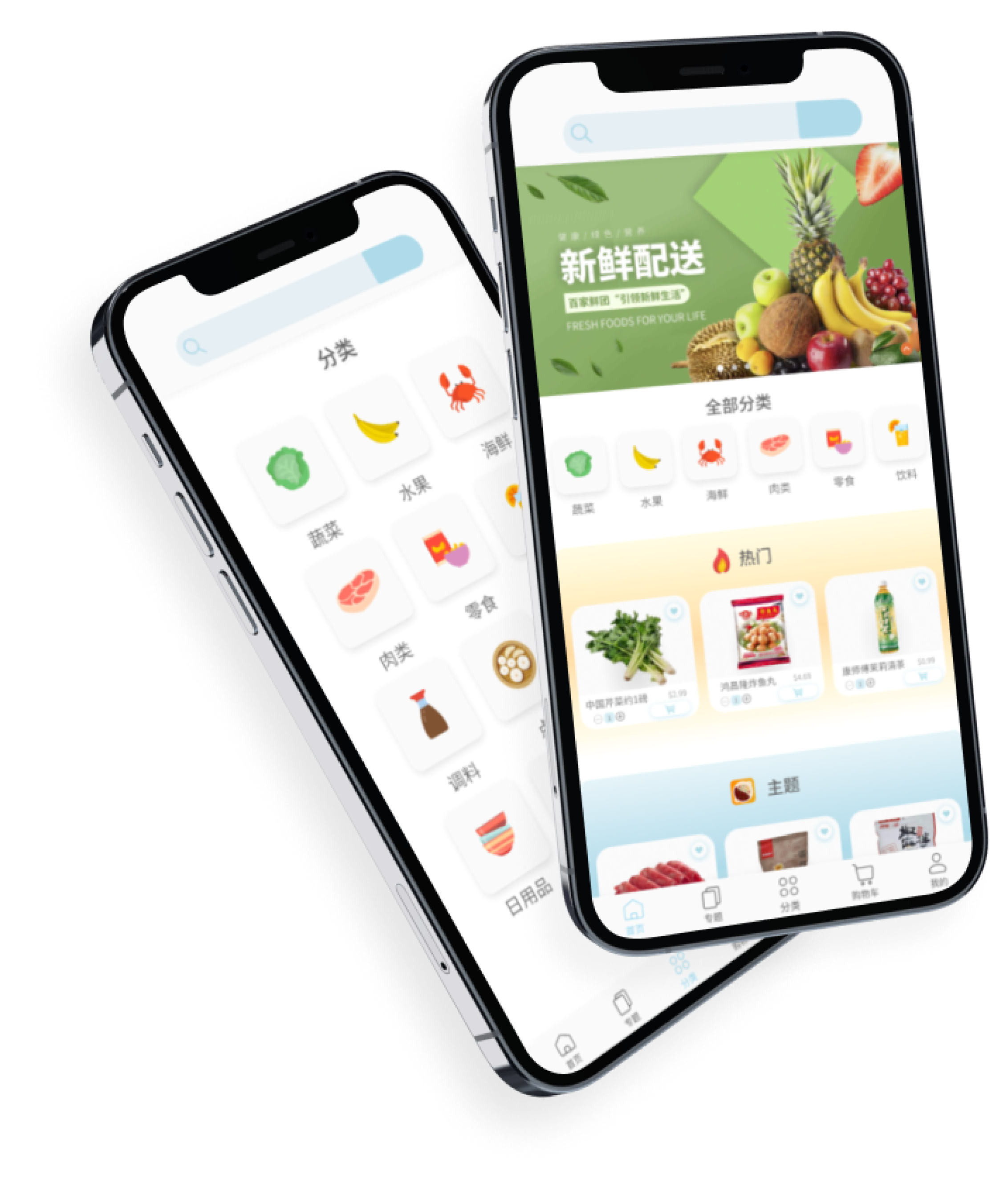
Timeline

I worked on the UI/UX for a startup's food delivery app. My goal was to improve accessibility and provide a seamless grocery shopping experience for customers in the Minneapolis, MN area who shop at the local asian grocery stores.

Project Image

Customer Interviewing & Surveying

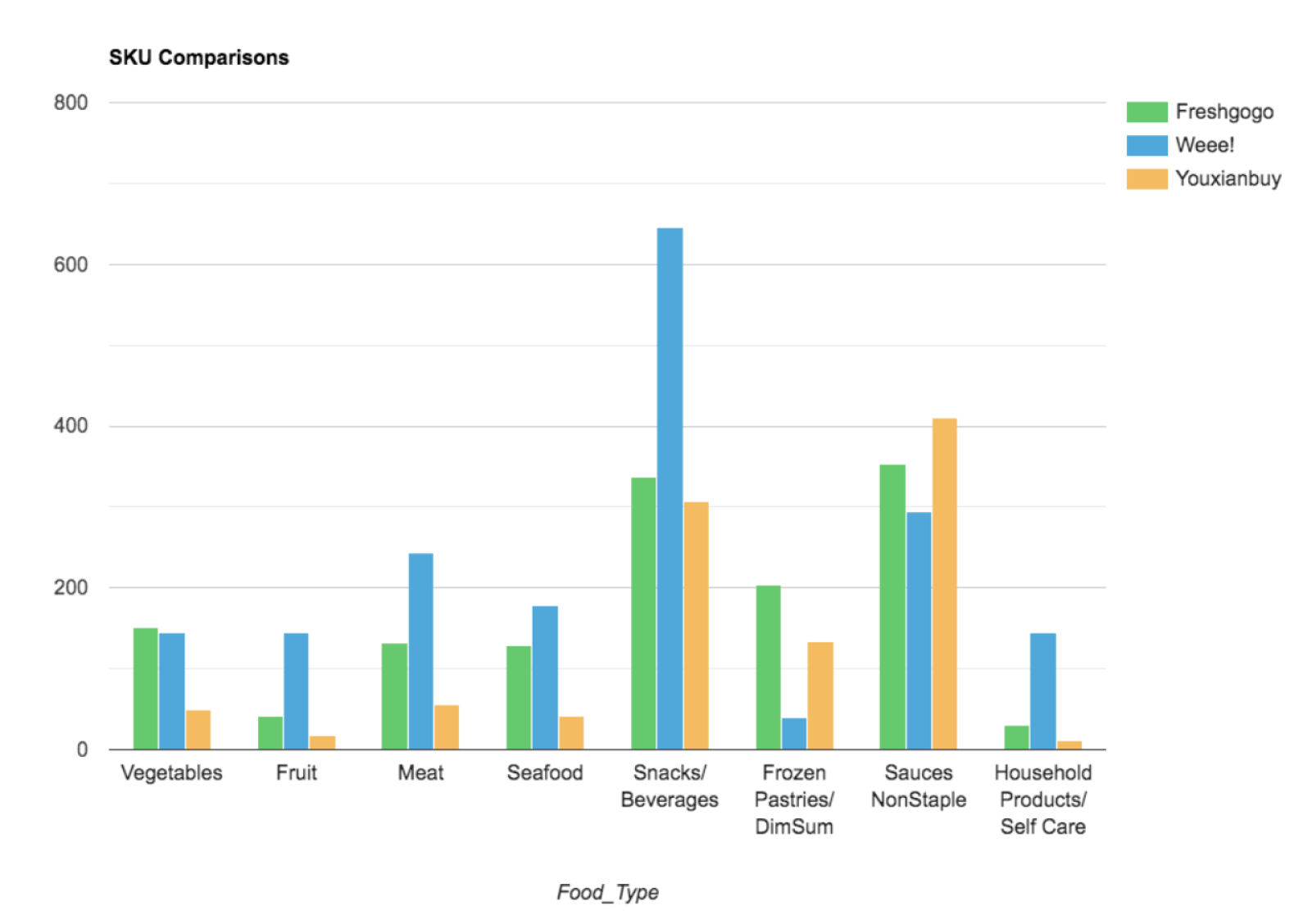
I began the project from an analytical perspective, starting out with creating competitor analyses, counting SKU for different item types, and researching about other Asian grocers / Asian grocery delivery services around the United States.
Project Image

Compiled information on the company's top competitors and comparison of each SKU type.


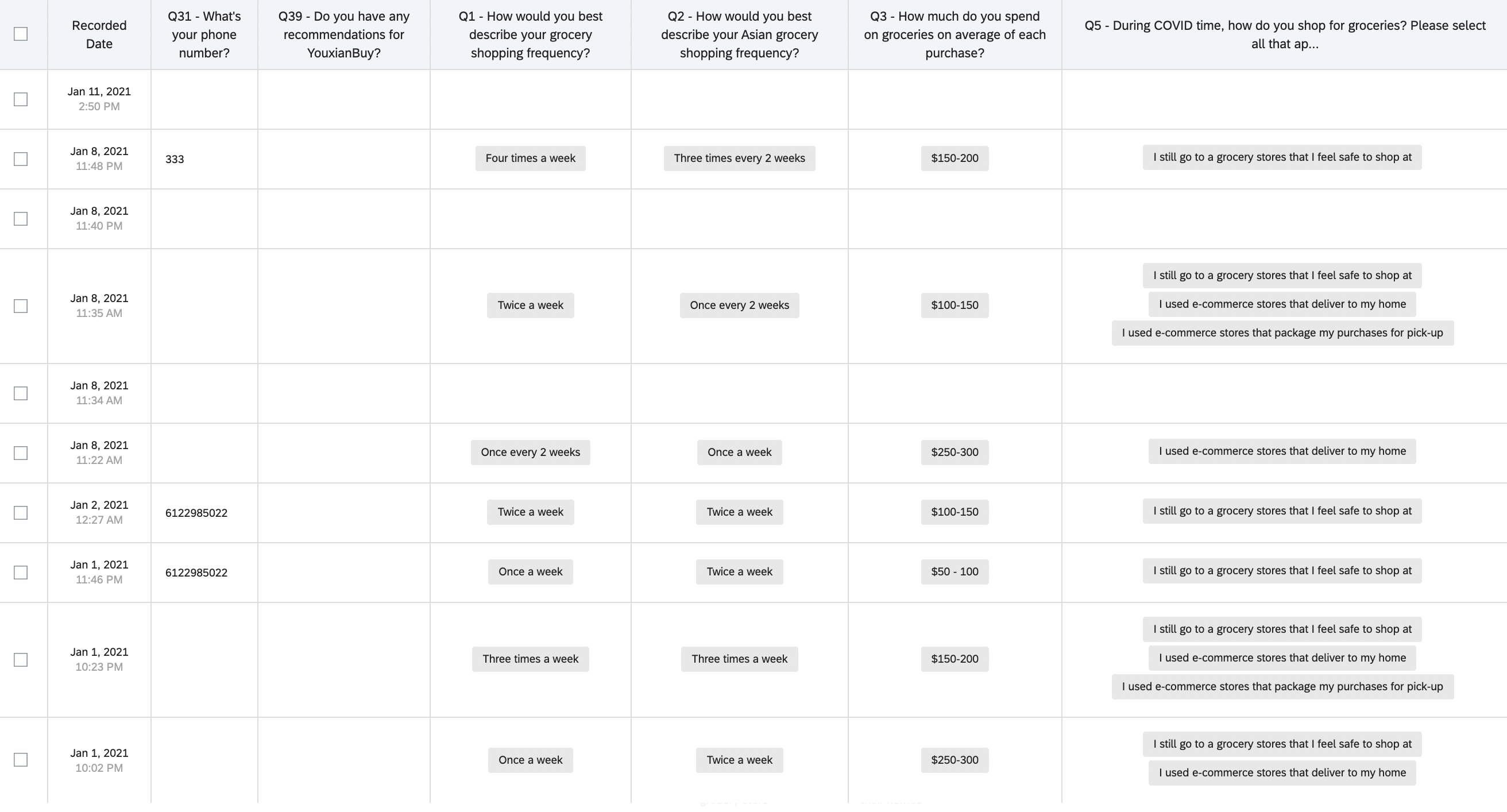
While collecting data through conducting client interviews, I also created a survey for additional data.


Project Image

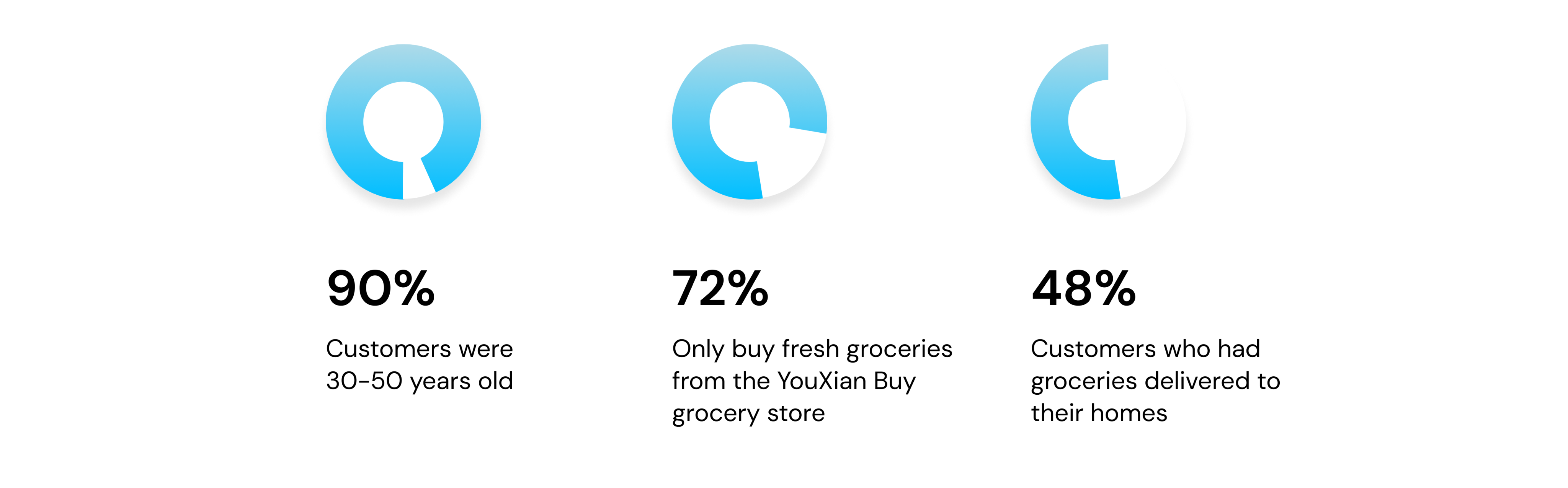
With this information, I found that

Project Image


Prototyping

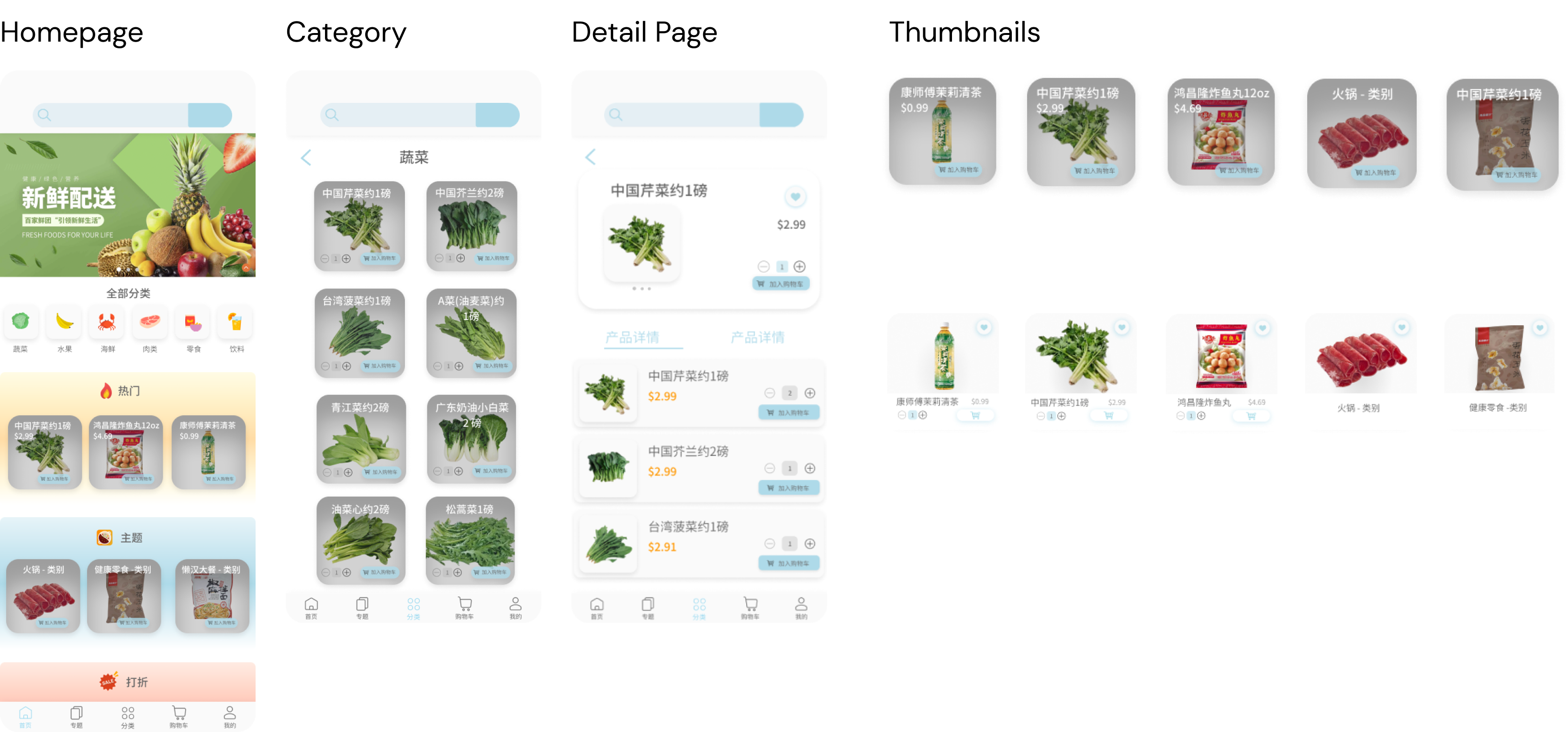
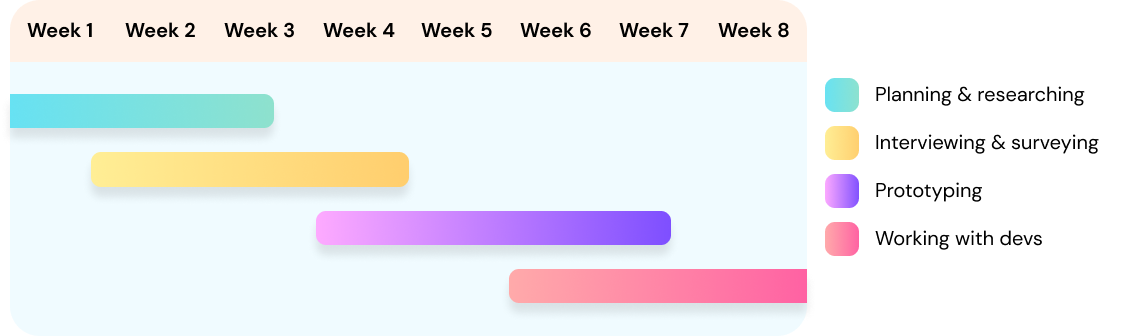
Addressing user research pain points, I prototyped a user-friendly YouXian Buy app design. It includes a history-saving feature, easy product recommendations, and intuitive shopping categories. The result is an improved shopping experience with reduced redundancy and friction.


Project Image


Final Prototype


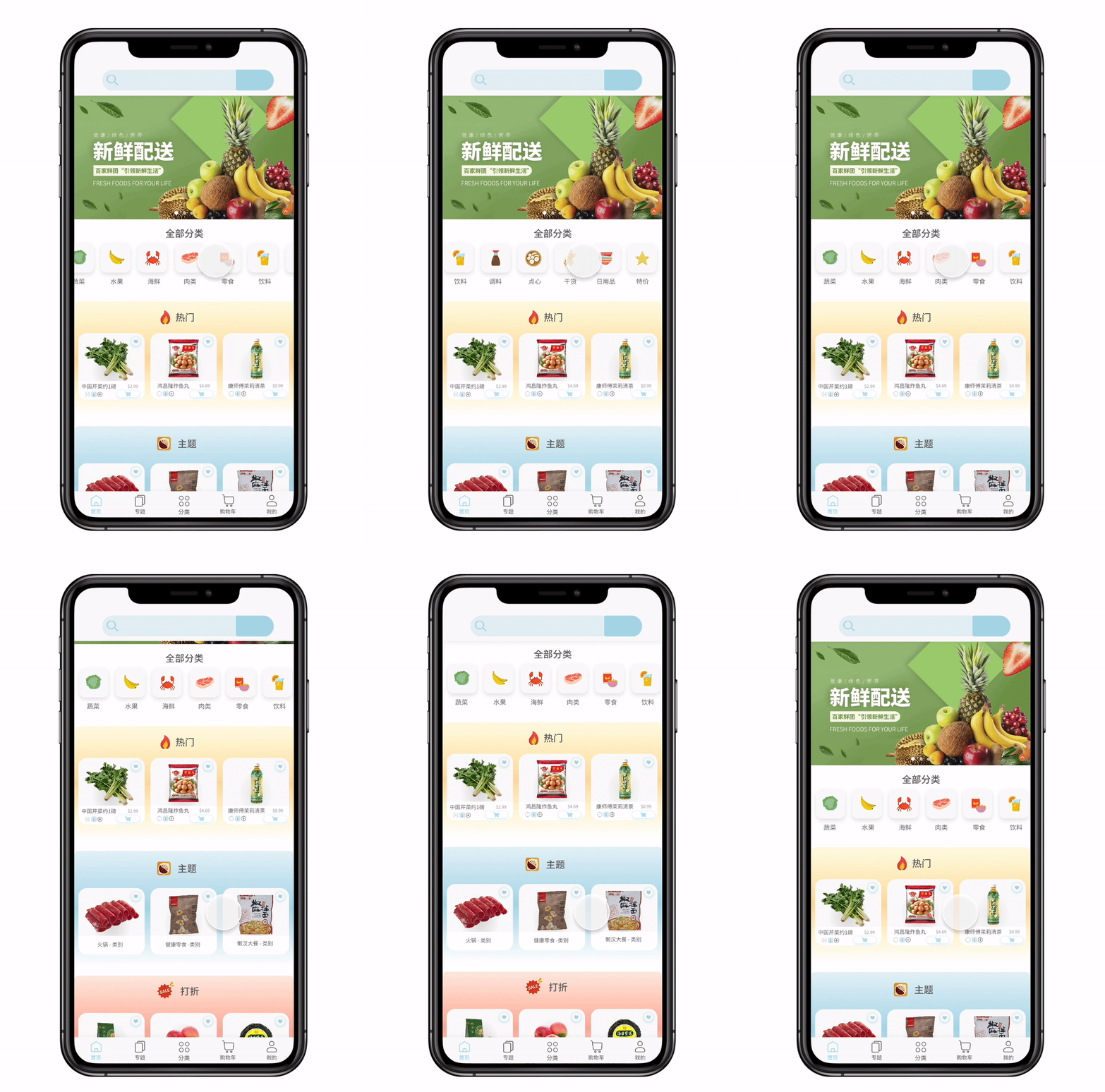
Landing page: My grocery app's landing page is designed to be user-friendly, offering seamless browsing through various categories, featured items, and captivating themes like hot pot and healthy snacks. It provides easy access to all items, making the shopping experience enjoyable and convenient for every user.

Several features here listed can be seen:

1) Browse categories
2) Featured items
3) Themes (hot pot, healthy snacks, etc.)

Project Image

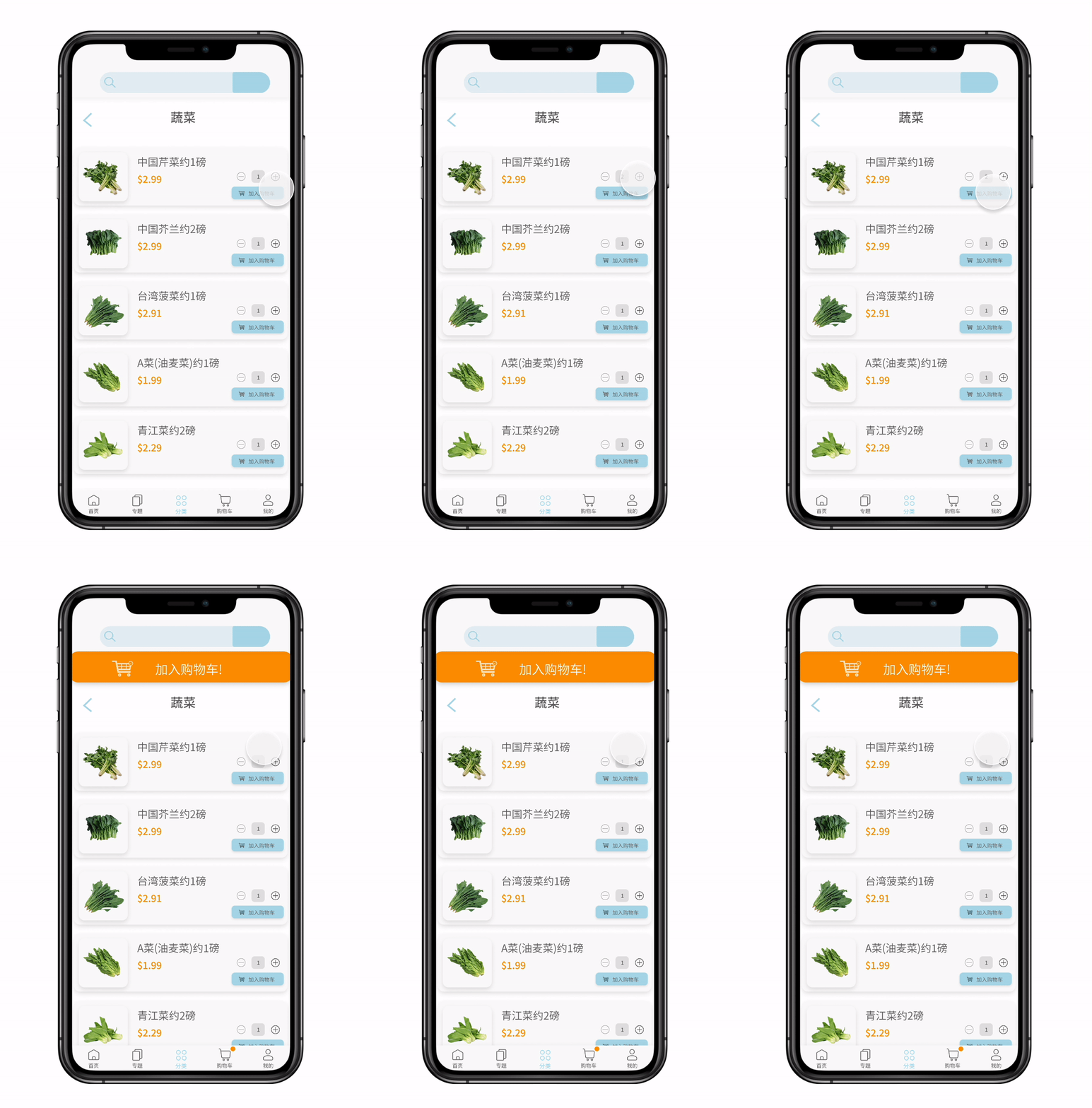
Detail page: My grocery app's "Browse categories" feature allows easy navigation and item viewing. Users can add items to favorites, adjust quantities, and smoothly add products to their cart. A user-friendly pop-up confirms successful additions to the cart, streamlining the shopping experience.

Several features here listed can be seen:

1) Change quantities of items
2) Add an item to cart
3) Added to cart message will pop up

Project Image

Final Thoughts

Over winter break, I had an amazing experience working on this project. The startup founder and grocery store workers were incredibly supportive, allowing me ample freedom in the design process. Conducting customer interviews taught me valuable skills in UX research and business analysis, while collaborating with the back-end engineering team was a rewarding experience. It was a truly enriching experience where I had so much influence on the project direction.

Project Image